

Every station in step.
Kitchen, bar and service work on the same order and each sees only what matters to them. Fewer shouted instructions, fewer paper slips, fewer misunderstandings.
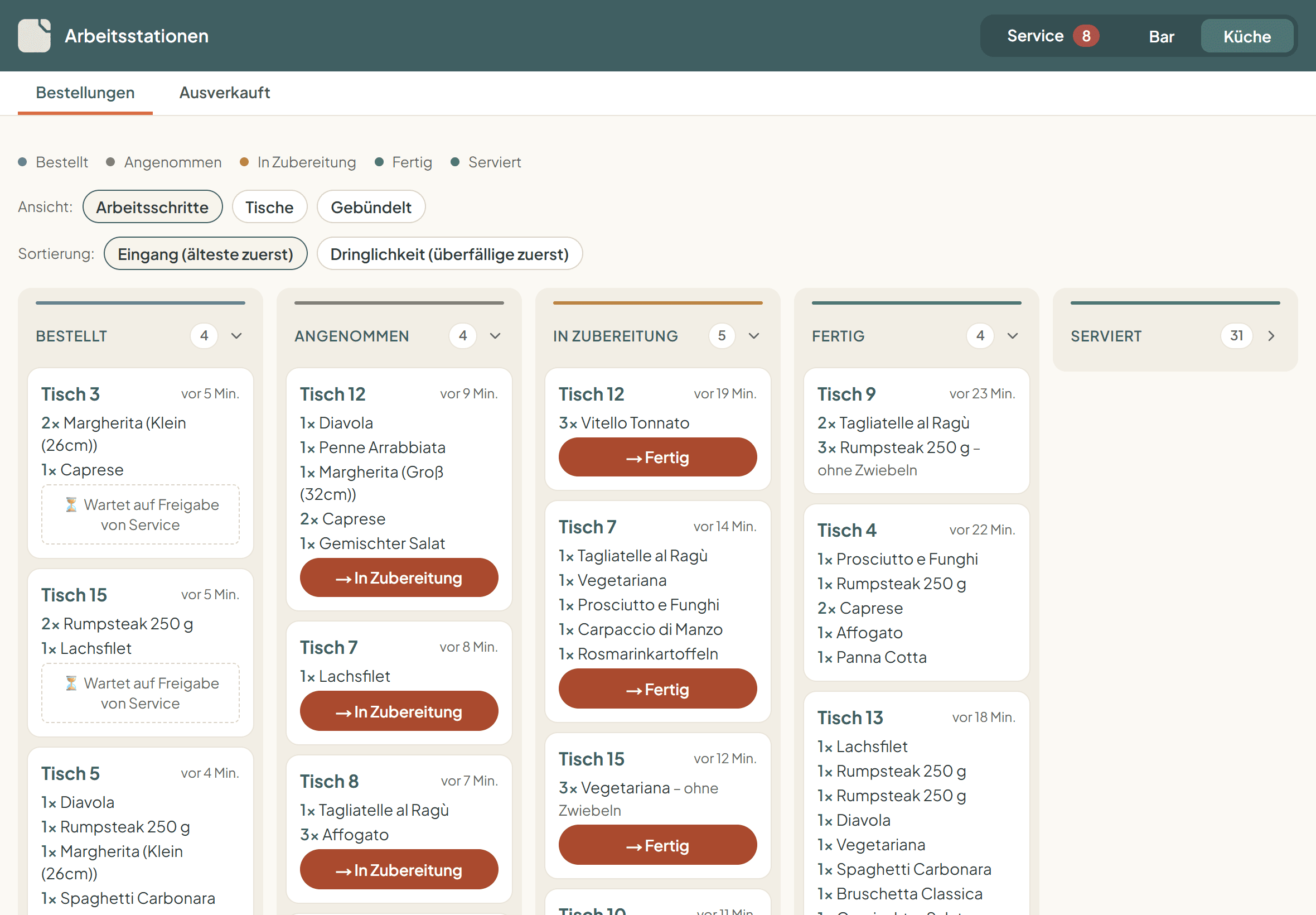
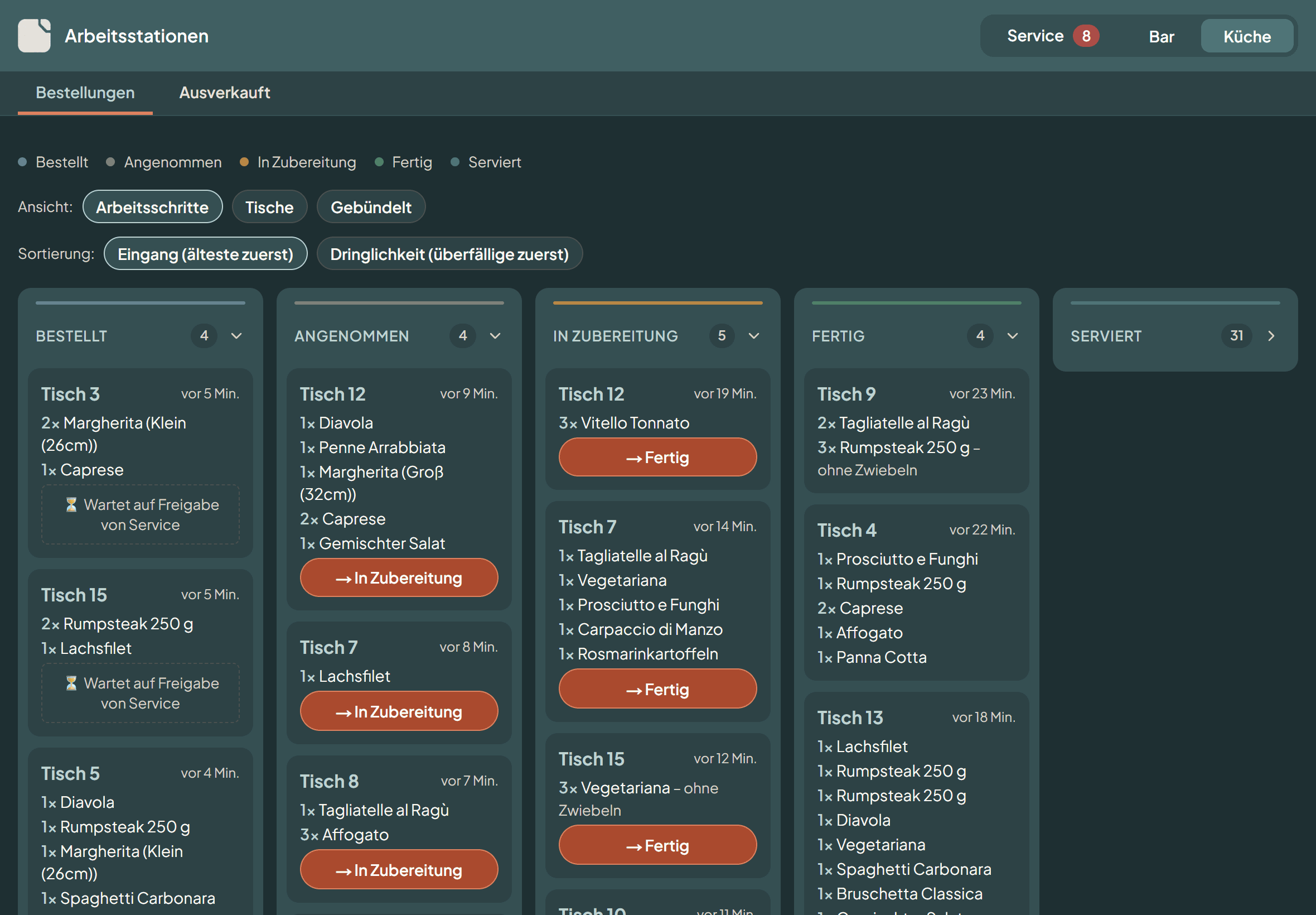
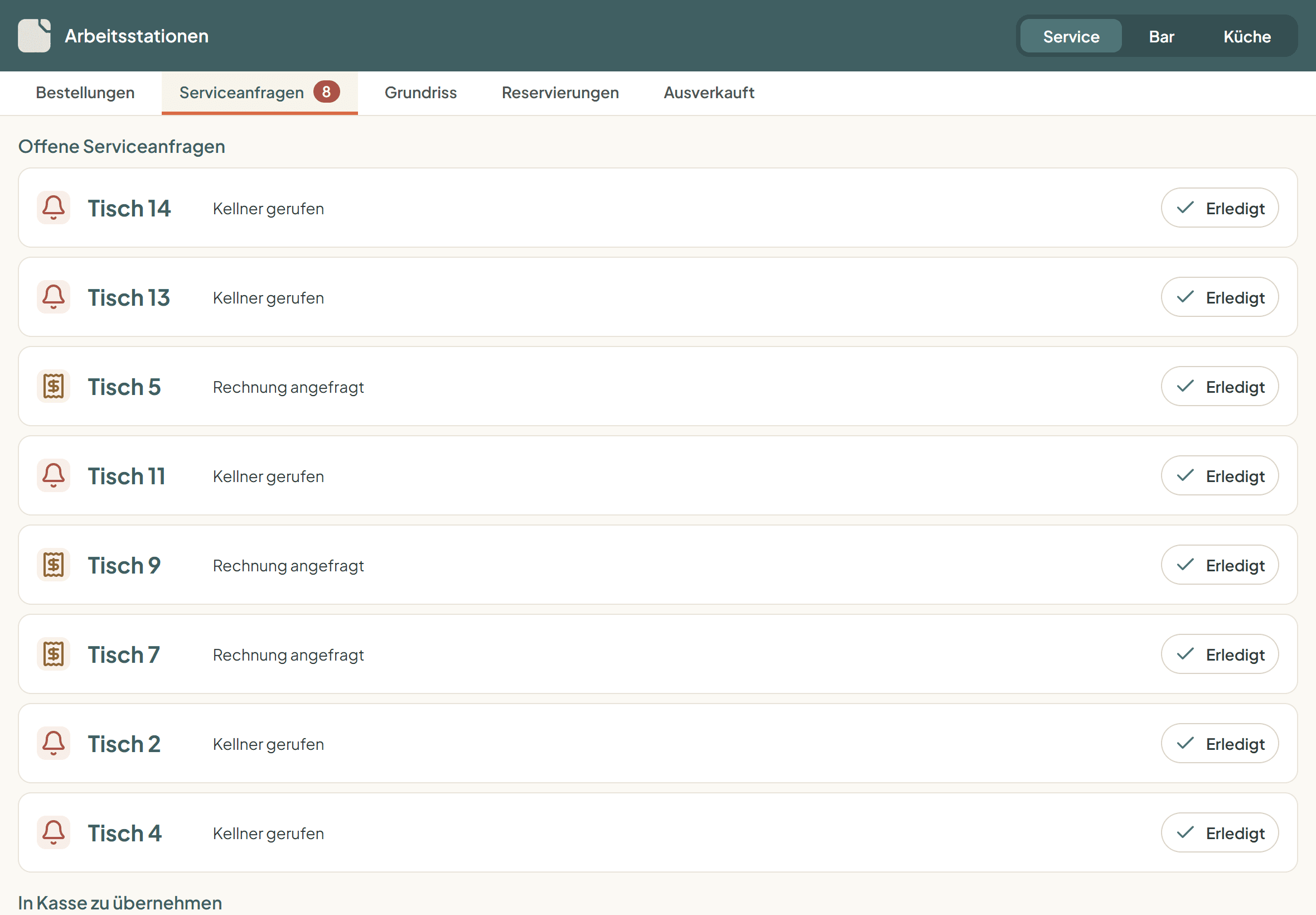
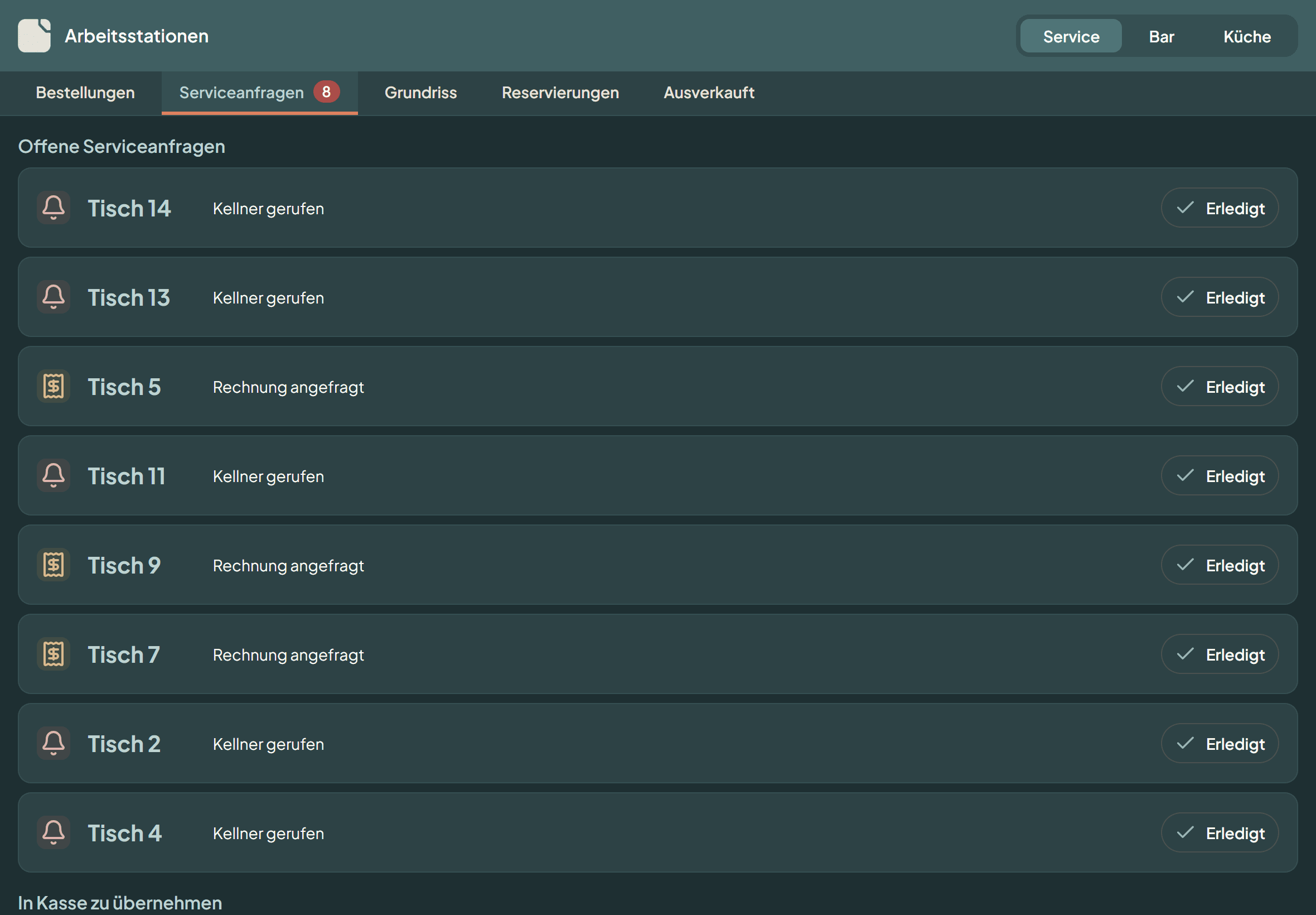
Screenshots from the demo restaurant, shown in German. All names and figures are sample data.
Each station sees what matters to it
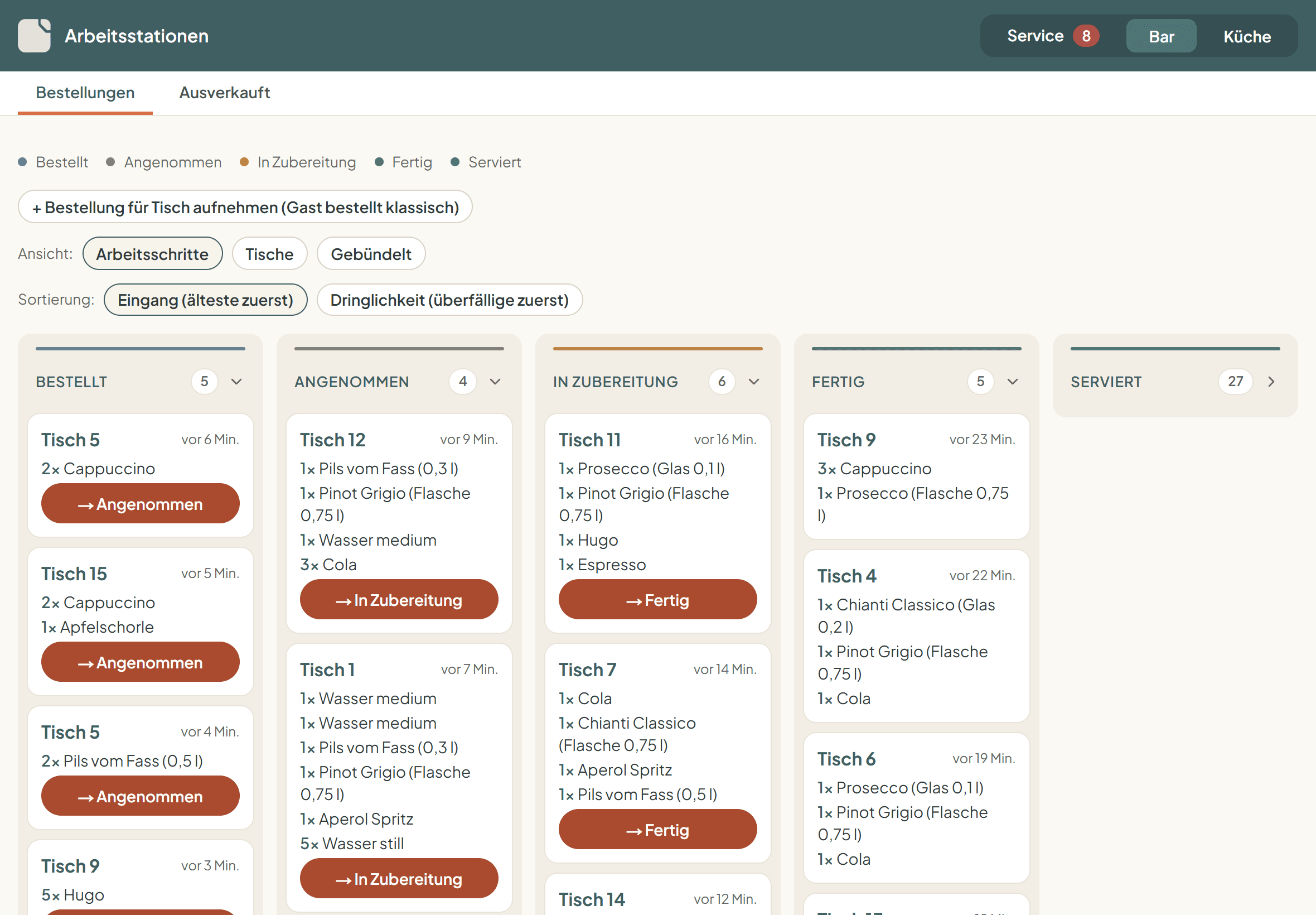
Drinks go straight to the bar. Food reaches the kitchen once service has released it, so service keeps control of the pace at the table.
- Drinks straight to the bar
- Food to the kitchen once released by service
- Each station sees its own items, and the others' too if you wish
Status with a swipe, new orders with a sound
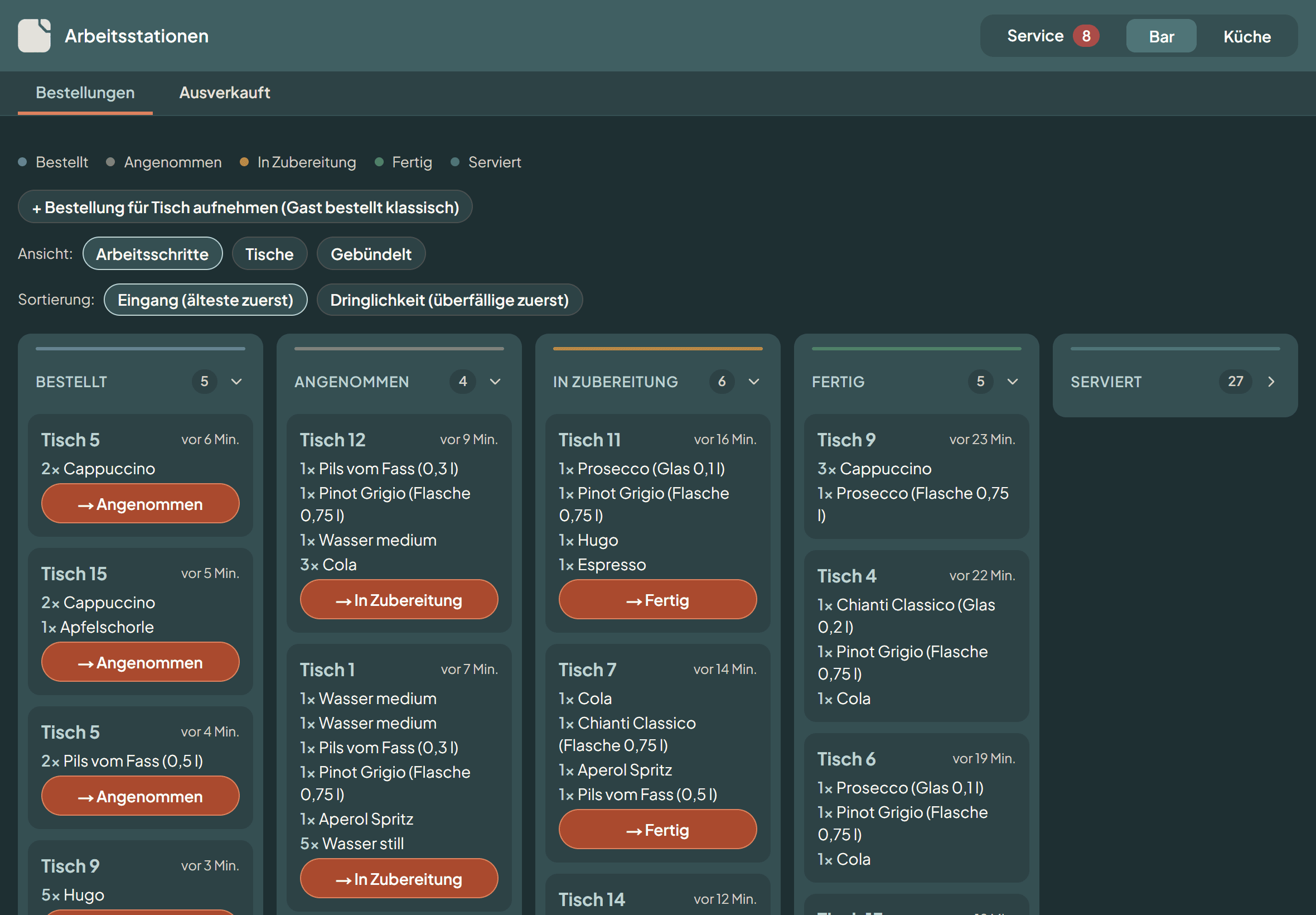
Orders move from “Ordered” through “Accepted” and “In preparation” to “Ready”. Drag a card along or tap the button. New orders announce themselves with a sound.
- Move cards along by drag and drop or with a button
- Sound for new orders, can be switched on and off
- View by work step, by table or bundled
- Sort by arrival or by urgency
Ordered
Accepted
Table 7 · 1x Salmon
In preparation
Table 4 · 3x Vitello
Ready
Service keeps the whole room in view
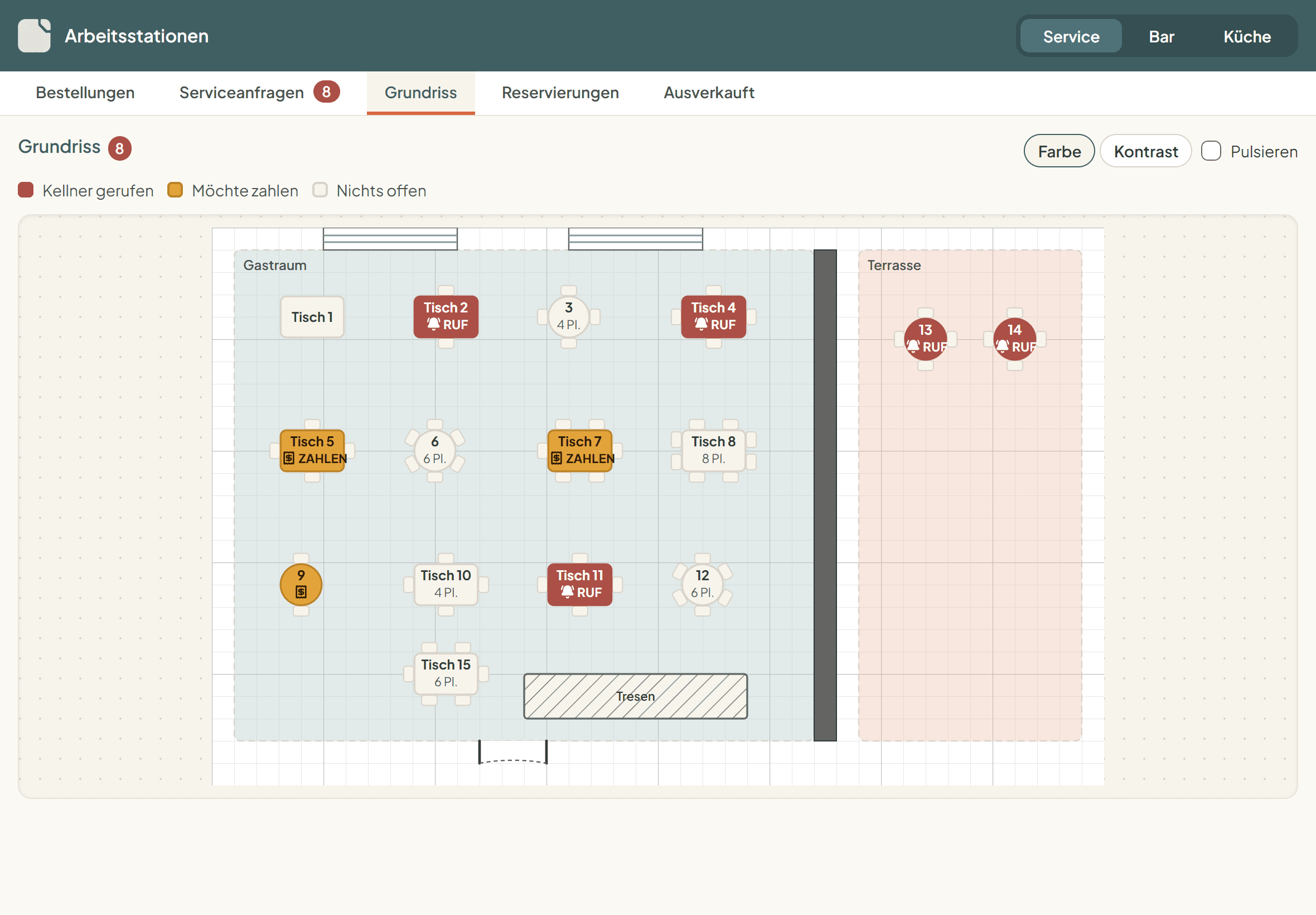
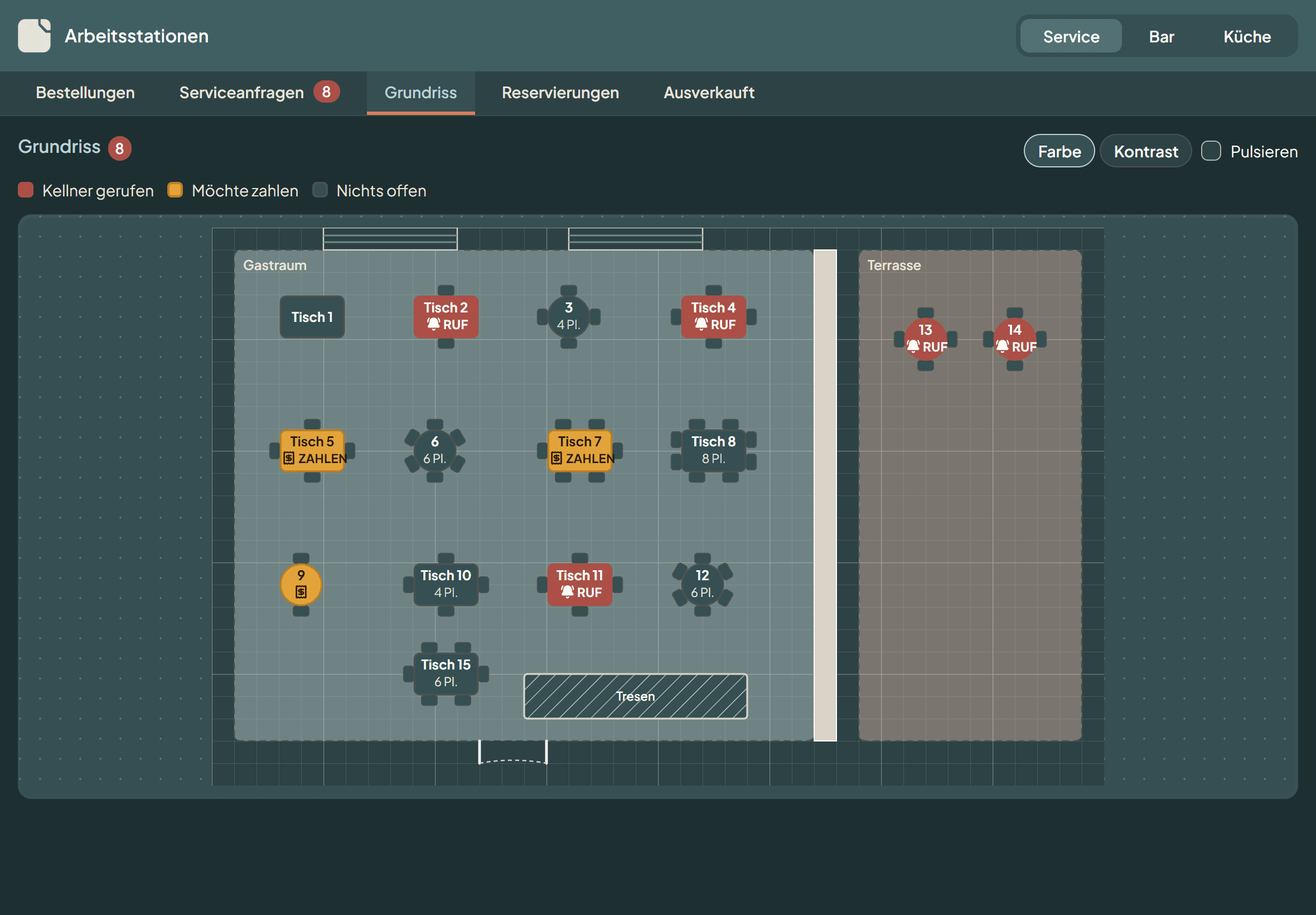
The floor plan shows every table with its current status, split by areas such as dining room and terrace. Service requests appear with table and waiting time. If an item has to be taken back, you record the reason.
- Live floor plan with the status of each table
- Open requests: call staff and bill
- Cancellation with a reason, recorded traceably
- Sales opportunities: your service sees which table has not ordered for a while and sends “Another round?” with one tap
Two tablets included, clear permissions
Two tablets come in the package at no extra cost: one for service and bar, one for the kitchen. The team signs in on them with a PIN. When it gets busy, you pause order intake with one tap, and guests can still see the menu.
- Sign-in with a PIN on the tablet
- Accounts can be limited to certain stations
- Pause order intake and release it again at any time
PIN
Order intake
Short and honest answers.
Which devices do I need for kitchen and bar?
Two tablets are included in the package at no extra cost: one for service and bar, one for the kitchen. The stations run in the browser, so you can use a PC as well.
Does the kitchen see the drinks too?
By default each station sees only its own items. If you wish, a station also shows the others', marked and for viewing only.
What if too many orders arrive at once?
Service pauses order intake with one tap. Guests can still see the menu but can only order again once you release intake.
How quickly is everything ready?
The set-up itself takes only hours. You are live within a few days, typically in under a week from your go-ahead. Exactly how fast depends on postal delivery of the QR codes and tablets.
Show us your routine. We will show you the board.
In a conversation we walk through how orders move from station to station at your place.